

empty
 
 
Trading account verification
Are you planning to fund your account with a card or a bank transfer? Either way, you will need to verify your account. Read on to learn how!
Proceed to verification
Verification
How to pass verification
Upload documents
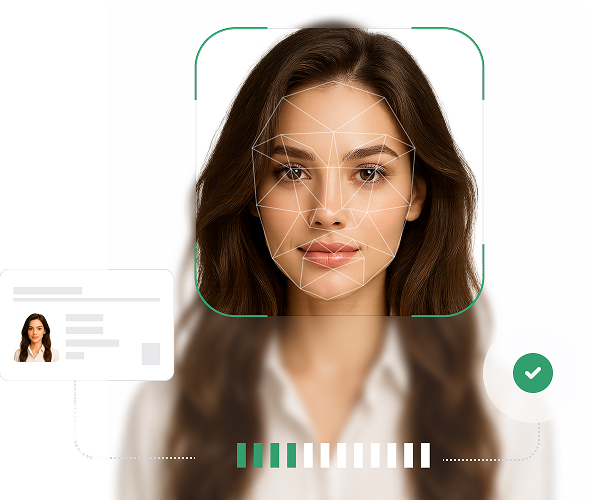
Log into your Client Area and attach a photo of your passport or another form of identification
Submit your application
After uploading your documents, submit them for review through the system. Ensure that the images are clear and free of glare
Wait for confirmation
We usually confirm accounts within 3 minutes. In rare cases, the process may take up to 24 hours depending on the specialists' workload
Additional information
In certain cases, the company may request additional documents. We always strive to make the process as quick and convenient for you as possible
Two levels of verification
Select your country to see the current list of required documents for submission
For individuals
For legal entities
Document requirements:
You must provide a photo, not a scan, of your identification document.
The photo of the document must be clear and in color.
The validity period of the identification documents must be more than 6 months at the time of submitting the verification application.
The identification card must be photographed on both sides.
The photo of the document must be complete. In the case of a passport, this means a two-page spread showing all edges and corners of the lamination. Even if the part of the document not captured in the frame does not contain any information, the company may refuse verification.
InstaVerify
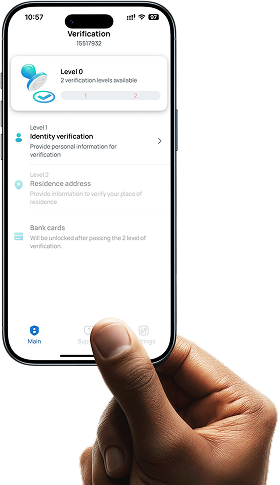
Verification of trading accounts and bank cards, verification status tracking, support contact, and much more.
Typical mistakes
Level 1
Incomplete copy of the document (if it is a passport, you must submit a complete two-page spread with all edges/corners).
The validity of identity documents must expire no less than 6 months from the date of submission of the verification application.
Poor quality of the document and the photo within it.
Data mismatch (name, date of birth, address).
There should be no visible erasures, additions, crossed-out words, or any unapproved corrections, or signs of graphic editing.
Level 2
The page with registration does not have a document number (the next page of the passport is required).
The registration stamp is at the bottom of the page (it must be folded to make the document number and the registration stamp visible).
It must be a photo of the document, not a scan!
Bank statements and utility bills without a stamp, barcode, or QR code.
Utility bill without proof of payment.
Frequently asked questions
What is verification?
Verification is the confirmation of personal data provided when registering an account. There are two levels of verification. The first level confirms the identity of an account holder, while the second one confirms the residential address.
Why is account verification necessary?
Verification is required for funding/withdrawing from the trading account, as well as for receiving bonuses.
Where can I verify my account?
You can verify your account in the Client Area in the Verification section -> "Account Verification" or in the InstaVerify mobile app for Android (available for download on Google Play) / iOS (available for download on the App Store).
How can I tell if my documents for verification have been uploaded?
If the documents have been uploaded, a corresponding status will appear on the "Account Verification" page: the documents have been successfully uploaded and are under review by the manager. In addition, you will receive a confirmation email that the documents have been uploaded. After your verification application is reviewed, the status in your Client Area will change, and you will receive an email with the results of the review. If the documents were uploaded through the app, verification status can be tracked in the InstaVerify mobile app for Android / iOS, as well as through push notifications.
How long does the account verification process take?
Typically, account verification takes 24 hours, but in some cases, it may take longer.
Your goal is closer than it seems — get started right now! Open a live account or try out a demo account to improve your skills without risking any losses.
Open an account
Download the mobile app and gain access to all platform features, wherever you are.
Can't speak right now?
Ask your question in the chat.
Widget callback